Powerful
cross-platform
web scripting
|
|
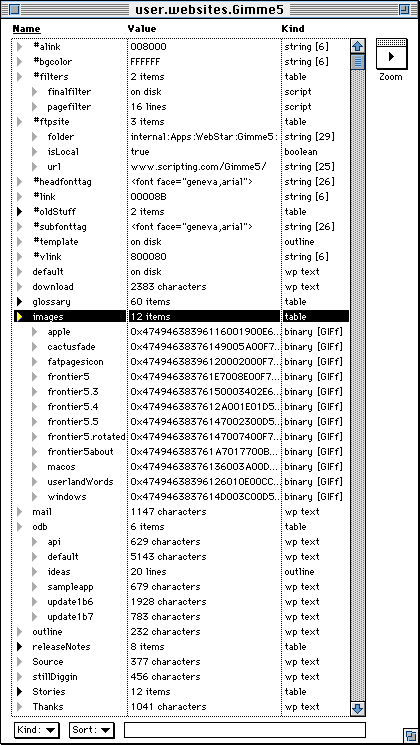
Gimme5 Site Screen Shot
Here's a screen shot.
That's what this site looks like when I work with it in Frontier 5.
I've been using this new browser for a little over a week. Some first-week notes and conclusions and pointers:
- A single window can go as deep as you like with all the reorganization power of Frontier's built-in outliner. Finally a website is just an outline, but with all the depth and power of a scripting environment.
- We now have drag/drop editing of the object database. This has been high on the wish list for a couple of years. Now that we have it, I can move things around the website structure much more easily. I can see inconsistencies more quickly and can fix them in an instant. This gives my brain new freedom to tackle more complexity.
- It's comparable in complexity to Director or PhotoShop, and to commercial site management tools, FrontPage, Fusion etc., with the depth of editorial systems such as Vignette.
- Next step: we should look at some new outline oriented commands for the Table menu, modes.menus.tabl.
- If you want to dive deeper, you can download the source of this site.
Dave Winer
|