While I was waiting for today's movie to start, watching some boring Coming Attractions, I was thinking about Twitter, and how to connect it to blogging software.
I went over the options, you could connect a RSS feed, so every post would be Twitted, immediately, as soon as it's on the web. I didn't like this so much.
What I opted for is to make it easy to post a link to your blog post to Twitter, by clicking a button, when you're ready.
Here's how it works...
1. Choose Update opml.root from the File menu. This will also update dotOpml.root.
3. Jump to user.twitter.prefs, and enter your Twitter username and password.
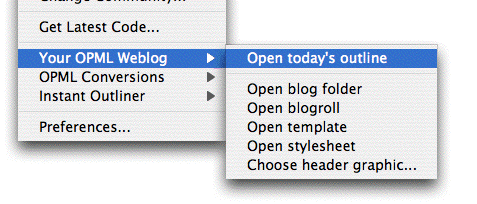
4. Choose Open today's outline from the Your OPML Weblog sub-menu of the Community menu.
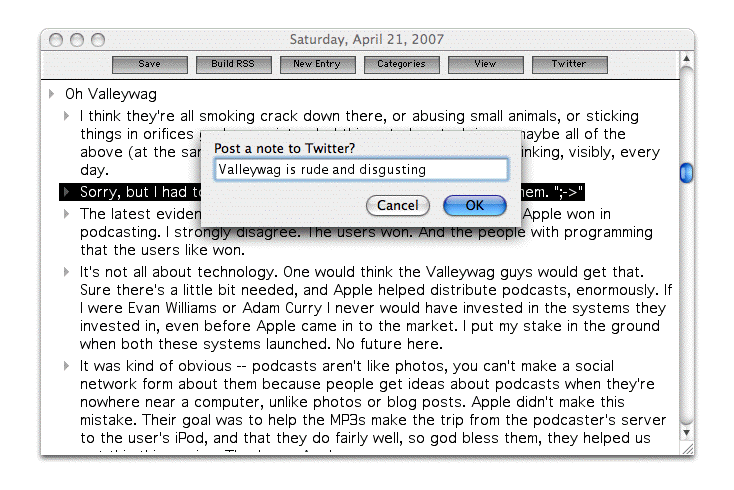
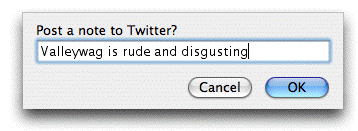
5. Enter a blog post. When you're ready to notify your Twitter friends of its existence, click on the Twitter button. A dialog appears, confirming what you want to say, and allowing you to edit it if you like. If you click on OK, it adds a permalink to the text, and shoots it up to Twitter.
6. And a few moments later, your wisdom is on Twitter.
Last update: Thursday, June 3, 2010; 4:00:42 PM
~About the Author~
Dave Winer, 55, is a visiting scholar at NYU's Arthur L. Carter Journalism Institute. He pioneered the development of weblogs, syndication (RSS), podcasting, outlining, and web content management software; former contributing editor at Wired Magazine, research fellow at Harvard Law School, entrepreneur, and investor in web media companies. A native New Yorker, he received a Master's in Computer Science from the University of Wisconsin, a Bachelor's in Mathematics from Tulane University and currently lives in New York City.
"RSS was born in 1997 out of the confluence of Dave Winer's 'Really Simple Syndication' technology, used to push out blog updates, and Netscape's 'Rich Site Summary', which allowed users to create custom Netscape home pages with regularly updated data flows." - Tim O'Reilly.

 I went over the options, you could connect a RSS feed, so every post would be Twitted, immediately, as soon as it's on the web. I didn't like this so much.

 scriptingnews1mail at gmail dot com.